

Use SellerSprite coupon code AMZNINJA to get 35% off all paid plans, including monthly and annual subscriptions.
For Amazon sellers, software costs compete with inventory, fulfillment and advertising. A useful research subscription needs to fit both your budget and the decisions you make each week.
SellerSprite covers product discovery, keyword analysis and competitor research. If you’re evaluating your next launch or managing an established catalogue, choose enough capacity for the work ahead without paying for allowances you won’t use.
Verified Sellersprite Coupons & Discount Codes 2026

Verified SellerSprite Coupon: 35% Off All Subscription Plans
exclusive
Enter promo code AMZNINJA at checkout on Basic, Standard, Advanced, or VIP, monthly or yearly, for real savings on Amazon research tools.
SAVE UP TO 35%
Biggest SellerSprite Promo: $567 Off VIP Yearly Plan
exclusive
The $1,890 yearly plan falls to $1,323 with promo AMZNINJA, including 10 child accounts, 500 product trackers, and 2,000 keyword trackers.
$567 Off
SellerSprite Standard Deal: Save $23.70 Monthly
exclusive
Checkout voucher AMZNINJA trims the $79 Standard plan, which tracks 100 products, 500 keywords, and 50 new listings for growing Amazon sellers.
Save $23.70
SellerSprite Advanced Plan Voucher: Pay $90.30, Not $129
exclusive
Promo code AMZNINJA saves $38.70 each month on Advanced, covering 300 product trackers, 1,000 keyword trackers, and 100 new listing monitors.
Save $38.7
Grab SellerSprite Free 3-Day Trial
exclusive
Test the monthly subscription at zero cost, then apply AMZNINJA when upgrading to cut 35% from your chosen plan's price.
Free Trial
SellerSprite Basic Plan Offer: $11.70 Saved
exclusive
Use discount code AMZNINJA to cut Basic's $39 price, with unlimited keyword mining, competitor lookups, Sales Estimator, plus 50 daily exports.
$11.70 Save
How to Redeem Your SellerSprite Coupon Code
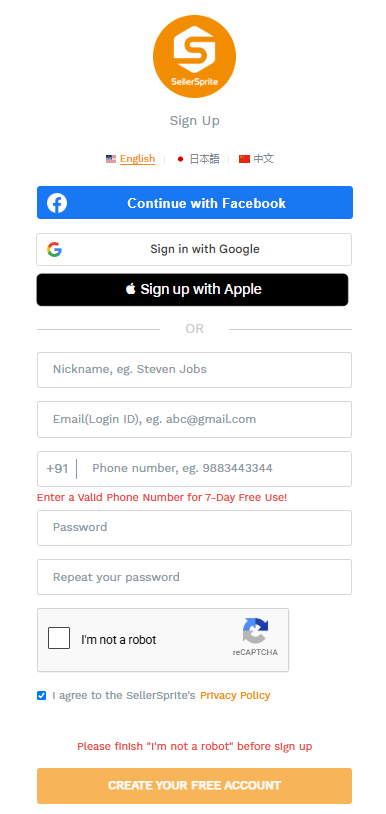
- Create an account or sign in: Use the account you want associated with your subscription.
- Open the Pricing page: Choose monthly or annual billing before selecting a plan.
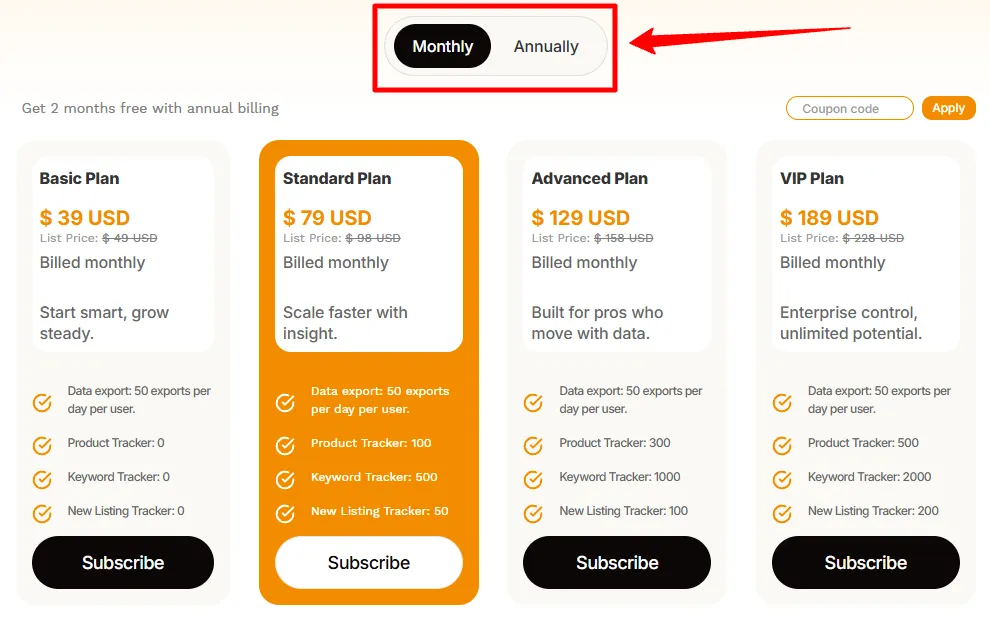
- Review the tier. Check that the subscription name matches the option you intend to purchase.
- Find the coupon field: Look for “Coupon Code” or “Promo Code” in the purchase flow.
- Enter AMZNINJA: Click Apply to submit the code.
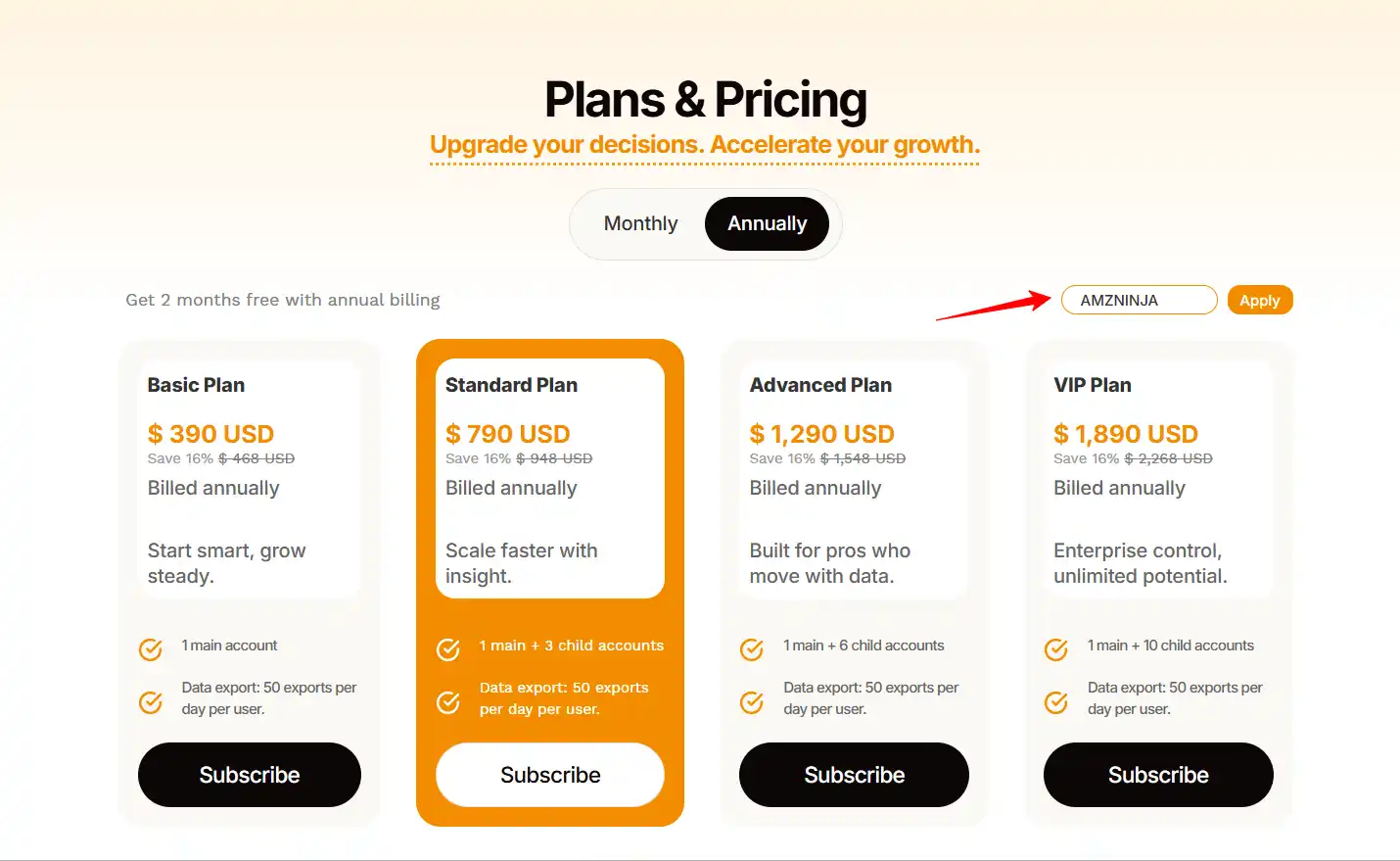
- Check the order summary: Confirm that the discount appears and the billing period is correct.
- Choose a payment method: Available options include PayPal and credit card.
- Complete your subscription: Review the amount due and any renewal information before authorising payment.
Keep your payment confirmation so you can identify the order if you need billing assistance later.
How to Maximise Your SellerSprite Savings
The coupon reduces the purchase cost. These habits help you get more useful work out of the subscription itself.
Which SellerSprite Plan Offers the Best Value?
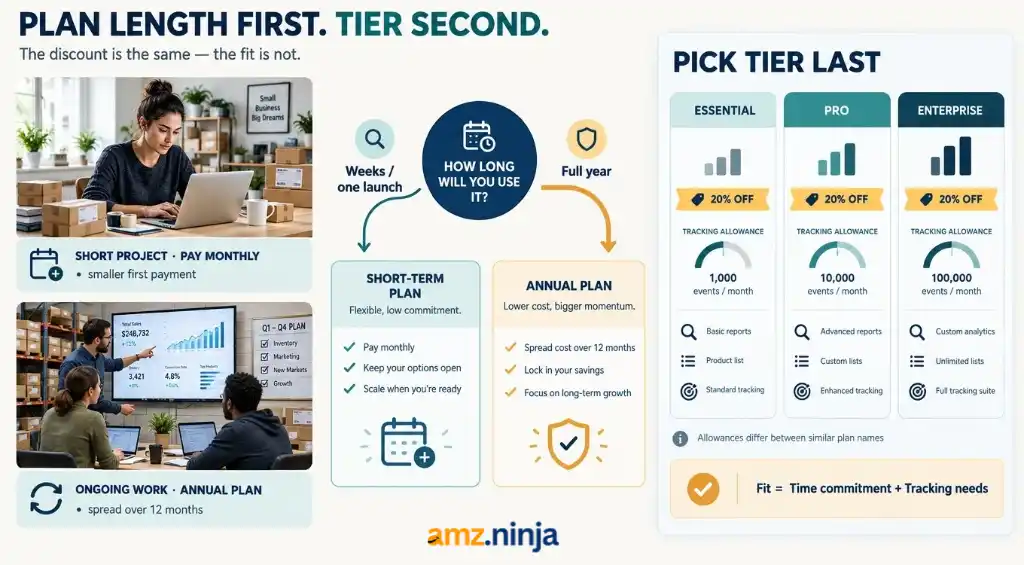
The coupon percentage is consistent across the paid range. The better purchase depends on how long you need access and how much monitoring your business requires.
Monthly billing suits a defined research project, a temporary workload or an initial period of paid use. It also keeps the first payment smaller while you establish how often the platform fits into your routine.
Annual billing is worth considering when research is continuous. An established brand planning launches throughout the year has a different usage pattern from a seller investigating one category.
Consider the commitment in practical terms. If you only have a short list of questions to answer, start with a clear project budget. If you need ongoing monitoring, map the subscription against the coming year’s workload.
Choose the tier after deciding on the billing period. Tracking allowances can differ even within the same named plan, as the comparison below shows.
Why Choose SellerSprite?
SellerSprite is useful when you need to connect several parts of an Amazon research decision.
Tools Offered by SellerSprite
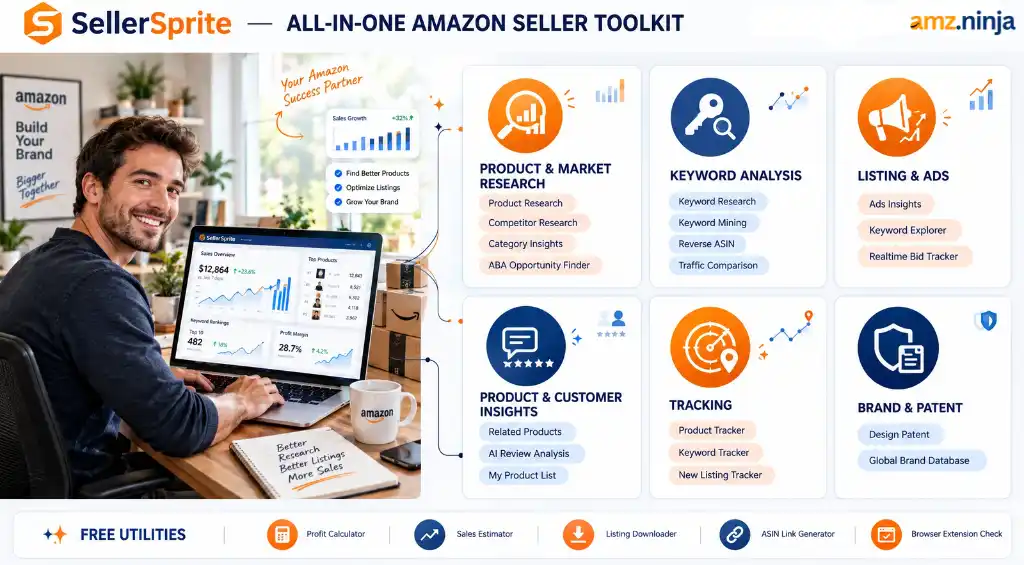
Here are the core tools available across SellerSprite’s research, optimisation and monitoring suite.
| Category | Tools |
|---|---|
| Product and Market Research | Product Research, Competitor Research, Category Insights, ABA Opportunity Finder |
| Keyword Analysis | Keyword Research, Keyword Mining, Reverse ASIN, Reverse Multiple ASINs, Traffic Comparison, Keyword Conversion Rate |
| Listing and Advertising Insights | Ads Insights, Keyword Distribution, Keyword Explorer, Realtime Bid Tracker |
| Product and Customer Insights | Related Products Lookup, AI Review Analysis, My Product List |
| Tracking | Product Tracker, Keyword Tracker, New Listing Tracker |
| Brand and Patent Research | Design Patent, Global Brand Database |
| Free Utilities and Browser Checks | Listing Builder, Sales Estimator, Profitability Calculator, Google Trends, URL Builder, Images Downloader, Keepa Trends, Index Checker |
SellerSprite Pricing Plans
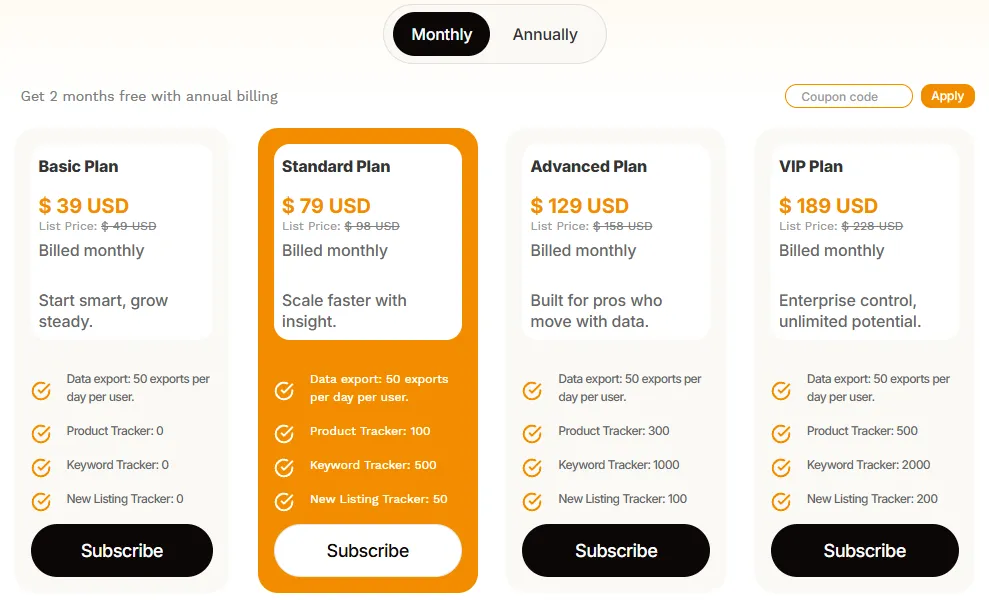
These are the prices before entering a coupon, in USD. Annual prices are the total for the year.
| Plan | Monthly Billing | Annual Billing |
|---|---|---|
| Basic | $39/month | $390/year |
| Standard | $79/month | $790/year |
| Advanced | $129/month | $1,290/year |
| VIP | $189/month | $1,890/year |
SellerSprite displays promotional and reference prices separately. Compare the amount shown after applying your code when deciding what you will actually pay.
Tracking Allowances by Plan
| Subscription | Product Tracking Slots | Keyword Tracking Slots |
|---|---|---|
| Basic monthly | 0 | 0 |
| Basic annual | 50 | 250 |
| Standard | 100 | 500 |
| Advanced | 300 | 1,000 |
| VIP | 500 | 2,000 |
Standard, Advanced and VIP have the listed tracking allowances with either billing period.
Use this comparison to identify the first tier that accommodates your workload. For example, a seller needing regular product monitoring should account for the difference between the two Basic options before purchasing.
FAQs About SellerSprite Coupon
What Should I Do If My SellerSprite Coupon Does Not Apply?
Check the code for extra spaces and confirm that you’ve selected the intended subscription. If the order total still doesn’t update, contact support with the plan name and a screenshot of the message.
Resolve the issue before paying so you know exactly which offer has been applied.
Can My Team Use SellerSprite Through Separate Logins?
Annual Standard, Advanced and VIP plans include three, six and ten child accounts respectively, alongside the main account.
Each child account supports one active session at a time and accesses tools within the main subscription’s limits. The main account manages child-account details and password resets.
Can I Change My Subscription Later?
Yes. Contact SellerSprite support to arrange a change, such as moving from monthly to annual billing or upgrading your tier.
The team can review your existing subscription and guide you through purchasing the replacement plan. Confirm the amount payable before proceeding.
Does SellerSprite Offer Refunds?
Eligible refunds are based on the unused portion of a subscription. There is no unconditional full-refund guarantee, and promotional packages explicitly marked as non-refundable are excluded, subject to applicable law.
When requesting help, provide your registered email address, order details and the reason for your request.
Where Can I Download My SellerSprite Invoice?
Open User Center > Profile > Credit Card Subscription > Payment Records. Find the relevant payment and select Invoice.
You can download the invoice or choose to receive it by email. Match the record to the billing period you need for your accounts.
Save on Your SellerSprite Subscription
Before buying, decide what a productive first month should deliver: a product shortlist, a clearer keyword plan or a better understanding of your competitors.
That gives you a concrete way to judge the purchase once you start using it. Choose the subscription that supports those goals and keep the remaining budget available for putting the findings to work.

Get 25% OFF on SmartScout
25% discount for first 3 months on any subscription plan


